How I made this website
My previous website hadn’t been updated in nearly ten years! I’ve wanted to get back into blogging and cataloging my life for quite some time, and with the rise of AI tools, the barrier to completing a project is the lowest it’s ever been for me[1].
Part one: planning
The first step, whether you use AI code gen or not, is to write up a plan. My plan had:
- The overall purpose of my site, i.e., it was a personal blog-like site.
- The pages I wanted.
- I wanted to tag posts so readers can filter to posts that most interest them.
- Custom functionality like a footnote plugin. I overly abuse parentheses when I write, and footnotes are a cleaner way to support my bad habit.
- The technologies I wanted to use. In this case, Astro.
- A minimal, geometric, architectural style. I knew I wanted something similar to the photos I like to take.
Part two: designing
I’m not a designer[2] so I tried out Google’s new design tool, Stitch. I fed my plan and attached a few photos I selected from my library that I wanted the site to take inspiration from.

The first pass wasn’t terrible, but reeked of AI generation and was cringey as. For example, look at this pretentious AI slop:
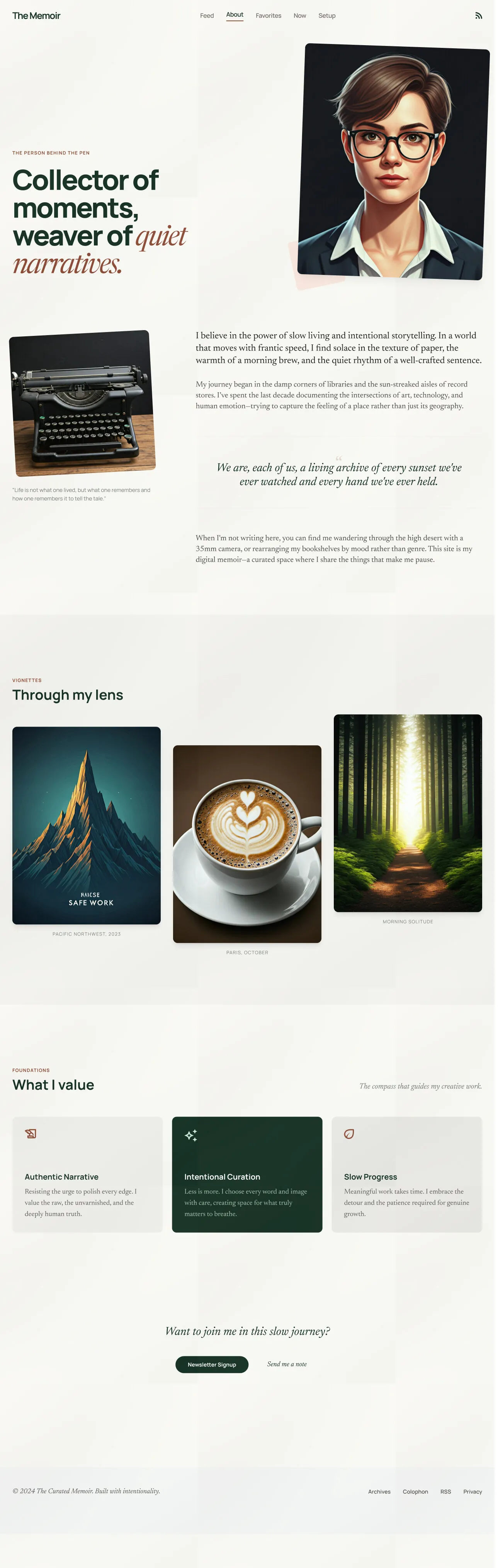
I didn’t tell Stitch to generate with any kind of tone. Apparently, based on my photos, I’m an insufferable asshole.
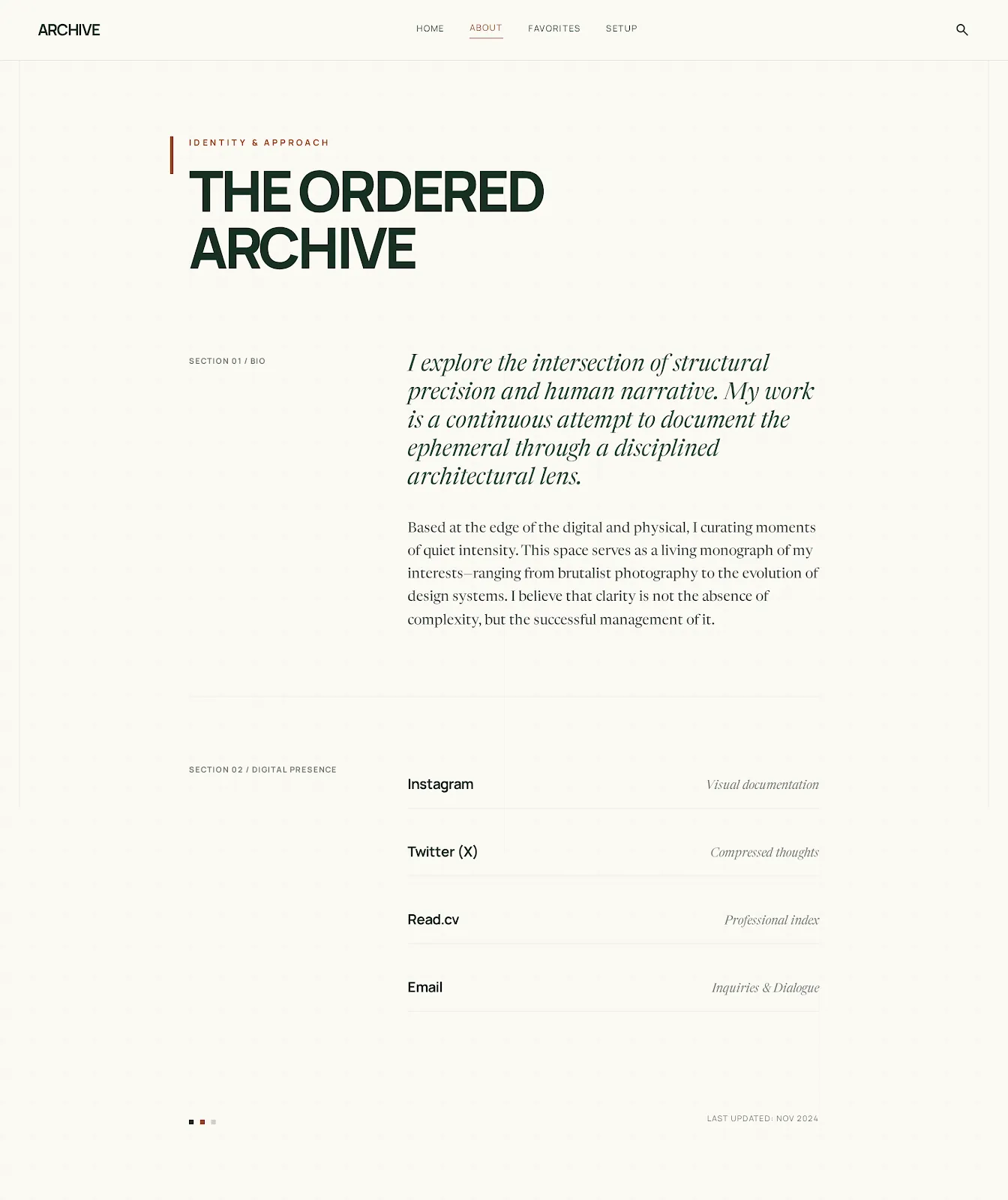
While the content was ass, I did like the colors, spacing, and minimalism. It took 17 iterations[3], but what you see is generally what I was able to get out of Stitch. Most of the iterations were saying what I liked and wanted to be preserved, and what I wanted to change. First, the overall design, then page by page.
Here is the final export of the About page. It’s still pretentious, but I planned to clean that up with my own content:
What I learned and observed:
- Like with all AI prompting, the more examples you provide of what you want, the better the output.
- Without specific guardrails in the prompts, it would often inconsistently apply styles across pages. It might be due to the base model of Gemini Flash, but I haven’t had to provide this direct guidance with the state of the art coding models.
- Its memory or context retention was poor. After a few iterations, it forgot that I didn’t want any cringey quotes.
- The amount of times it said something like “Does this version feel like it finally hits the mark?” or “Does this feel like the perfect version of your site?” was annoying when it wasn’t.
- Prompt it to provide multiple variations when you are unsure of what design direction to go.
- Include specific requests for features or states. For example, in my plan and initial prompt I had listed a footnote feature, but it wasn’t included in any of the designs until I asked for it.
Part three: implementation
I exported the designs as code and images per page and started Claude in plan mode. I fed the same plan I used in the design phase to Claude and included the exported code and images for Claude to use as a reference.
Here’s the initial version Claude created for the About page:
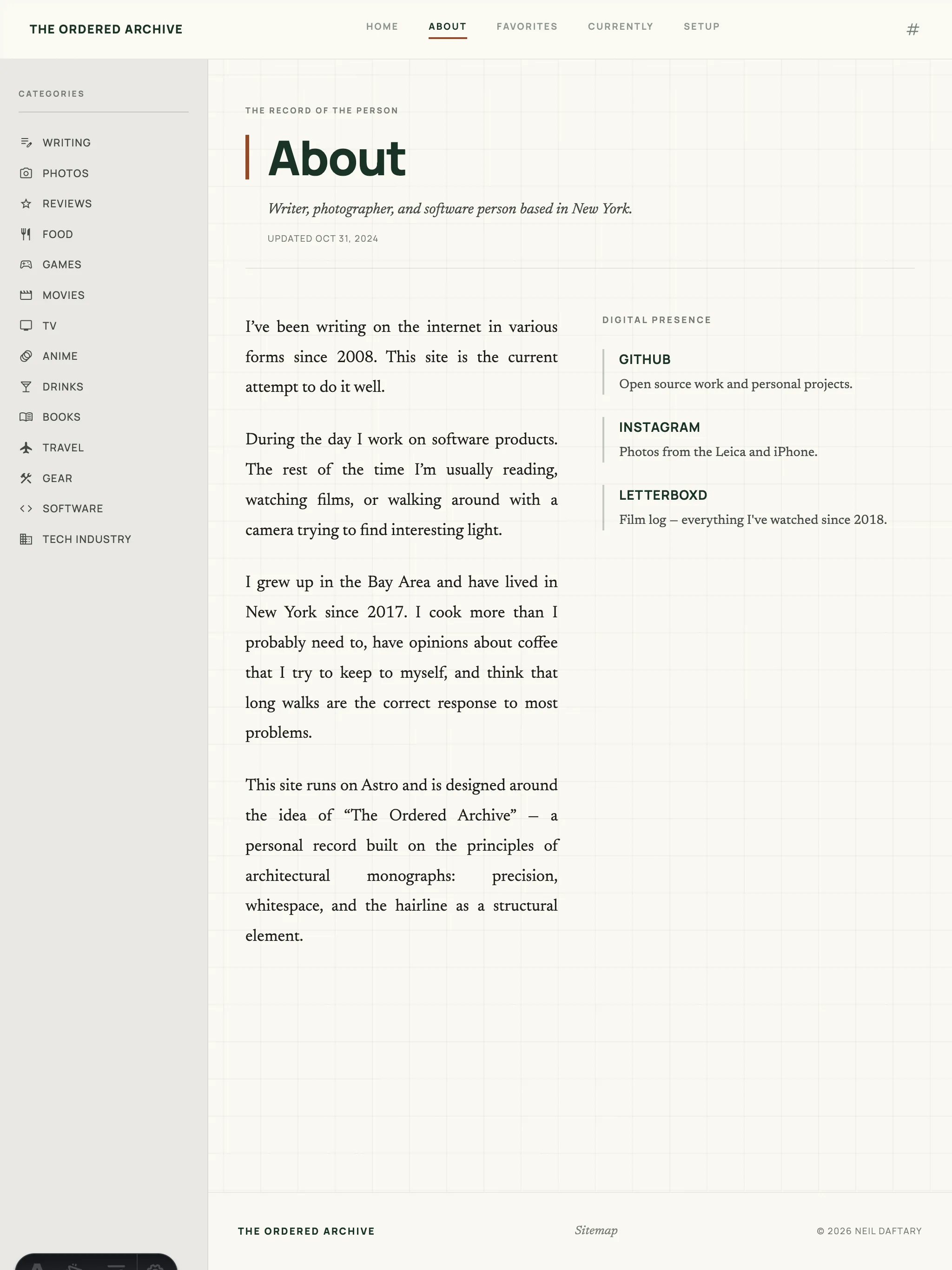
You can see Claude got the general idea, but even with code and sample images it made its own decisions[4]. For example, it added icons to the sidebar, changed the layout of the page, and made its own footer. In this case, I actually liked most of the diversions, and kept most of them on the current page.
Over many prompts, and some manual edits, I changed the site to my liking. I prompted Claude for larger changes, e.g. adding the lightbox or footnote functionality, while I made manual edits for small style changes like making text larger across the board or whitespace changes.
Final Thoughts on AI tools
Stitch is a decent starting point, but it definitely doesn’t replace human designers. It’s great for small solo projects, but given how many errors and regressions it made, I doubt it will scale well with more complex or business to business products.
Using Claude definitely saved me time and helped me complete the project, but it still took multiple days of two to four hours sessions each day refining the design and adding features I forgot to plan for. While I could have saved some effort with better planning, AI assisted coding is more of a 1.5x productivity booster than 2-5x for me.